Best GTO Poker Solver: How to Choose One
A GTO poker solver computes optimal ranges by simulating a spot to equilibrium. Learn how solvers work, what to look for, and how to study with one.
On this page · 9 sections
The best GTO poker solver for you depends on how you learn — not on which tool has the most features. A solver computes game-theory-optimal strategy for a spot by simulating both players’ ranges and iterating to equilibrium, but the differences that actually matter are precomputed vs run-your-own, speed, and whether it drills you. This guide explains how solvers work and what to weigh before you pick one.
What a solver actually does
A GTO solver takes a defined spot — stack depths, positions, ranges, bet sizes — and computes the strategy neither player can profitably deviate from. It does this by iterating: it plays the ranges against each other thousands of times, adjusting frequencies each pass until the strategy stops improving. That convergence point is the Nash equilibrium — the GTO solution.
The output isn’t “raise A-K.” It’s a full range chart with frequencies: raise this hand 100%, mix this one 60% raise / 40% call, fold that one. If the concept of GTO itself is new, start with what is GTO poker before diving into a solver.
The two families of solvers
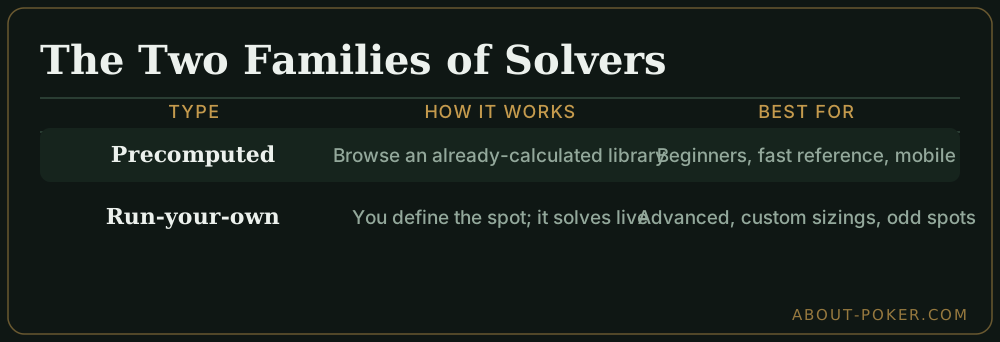
Every solver falls into one of two camps, and the choice shapes your whole study routine:
| Type | How it works | Best for |
|---|---|---|
| Precomputed | Solutions are already calculated; you browse a library | Beginners, fast reference, mobile study |
| Run-your-own | You define the spot and the software solves it live | Advanced players, custom sizings, unusual spots |
Precomputed tools are instant and beginner-friendly — you look up a spot and the answer is there. Run-your-own solvers demand more setup and computing time but let you explore any spot, any sizing, any stack depth. Many players start precomputed and graduate to run-your-own as their questions get more specific.
The main solvers, compared
A handful of tools cover almost everyone’s needs. Pricing tiers below are approximate and change often — treat them as ballpark, not quotes.
| Tool | Type | Pricing tier | Trainer | Best for |
|---|---|---|---|---|
| GTO Wizard | Precomputed library (cloud/browser) | Subscription (~$X/mo, free limited tier) | Yes, built-in | Beginners and most study; fast reference, works on mobile |
| Simple GTO Trainer / Simple Postflop | Run-your-own solver + trainer | One-time license, tiered | Yes | Players who want to solve and drill in one desktop app |
| PioSolver | Run-your-own postflop solver (Windows) | One-time license (Edge/Pro tiers) | No (analysis only) | Serious players studying custom postflop spots |
| GTO+ | Run-your-own solver | One-time license (budget) | Limited | Solving custom spots on a smaller budget |
| Free web trainers (e.g. simple range/chart apps) | Precomputed charts | Free | Sometimes | Trying the workflow before paying for anything |
A few durable points behind the table:
- GTO Wizard is a cloud service: precomputed solutions plus a trainer, nothing to install, and it runs in a browser or phone. Its subscription model and free limited tier make it the low-friction starting point for most people.
- PioSolver is the long-standing professional standard for run-your-own postflop work. It’s a one-time Windows license with no trainer — you bring your own study discipline. Powerful, steeper learning curve.
- Simple Postflop / Simple GTO Trainer bundles solving and drilling in one desktop package, which is why players who want both in a single tool gravitate to it.
- GTO+ is a cheaper run-your-own option that does most of what the pricier solvers do for custom spots, with fewer conveniences.
A quick recommendation: if you’re newer, start with a precomputed cloud tool like GTO Wizard (or a free trainer) so you spend time studying, not configuring. If you’re a serious player who needs to interrogate specific custom spots, add a run-your-own solver such as PioSolver or GTO+. Many players end up using both — a library for daily reference and a solver for deep dives.
Four things to compare
When you evaluate any solver, weigh these four:
- Coverage. Does it include the formats and stack depths you play — cash 100bb, tournament with antes, short stacks? A cash-only library won’t help a tournament grinder.
- Speed and accuracy. Run-your-own solvers trade time for precision. Check how long a solve takes and how tight the convergence is (a lower “exploitability” number means a more accurate solution).
- Trainer mode. Does it quiz you hand by hand and score you against the solution? Reading a solve is passive; being drilled builds recall.
- Learning curve. Some solvers assume you already understand ranges and frequencies. If you’re newer, a guided tool or a structured course beats a raw solver.
Solver vs course: which do you need?
These solve different problems:
- A solver answers “what’s optimal in this exact spot?” It’s a calculator.
- A course answers “why is it optimal, and how do I apply it?” It’s a curriculum with explanations, drills, and a path.
If you already grasp the fundamentals and want to check spots, a solver is ideal. If you’re still learning why ranges are built the way they are, a structured course — or our preflop range construction guide — will get you further faster than staring at solver output you can’t yet interpret.
How to study with a solver (without wasting it)
The biggest mistake is treating a solver like an answer key to memorize. It isn’t — there are too many spots. Instead:
- Study patterns, not cells. Notice why suited wheel aces bluff and offsuit junk folds, then apply the pattern everywhere.
- Isolate one spot at a time. Pick “button vs cutoff 3-bet” and understand it fully before moving on.
- Use the trainer to test recall. Solve a spot, then drill it until your decisions match without looking.
- Connect it to position. Every solver output changes with the seat — pair your study with poker positions.
A worked study session
Suppose you want to understand button 3-betting versus a cutoff open. A good session looks like this:
- Load the spot — 100bb, cutoff opens 2.5bb, you’re on the button. In a precomputed tool you browse to it; in a run-your-own solver you define ranges and sizes and let it converge.
- Read the range chart. You see A-A through roughly J-J and A-K as pure 3-bets, suited wheel aces (A-5s to A-2s) as bluffs, and a band of mixed-frequency hands.
- Ask why. The suited wheel aces hold an ace, which halves the combos of A-A your opponent can have — the strongest hand that continues against a 3-bet — so they’re the model’s chosen bluffs. (Sharing just one ace, they only lightly block A-K.) That’s the same blocker logic from range construction.
- Drill it. Switch to the trainer and play 30 hands from that spot until your frequencies match the solution.
That’s one spot understood, not memorized — and the pattern (value plus suited-blocker bluffs) transfers to every other 3-bet spot you study.
Common solver mistakes
- Memorizing outputs instead of patterns. There are too many spots to memorize; learn the logic.
- Solving before you understand ranges. Solver output is meaningless if you can’t read a range chart yet.
- Ignoring the trainer. Reading solves is passive; drilling builds the recall you use at the table.
- Wrong format library. A cash solve won’t fix a tournament leak — match the tool to your game.
The bottom line
The best GTO poker solver is the one that fits how you study: precomputed libraries for fast, guided reference; run-your-own solvers for custom spots; and a trainer if you learn by being quizzed. Compare coverage, speed, trainer mode, and learning curve — and remember a solver is a calculator, not a curriculum. Build the concepts first with what is GTO poker and preflop range construction, then return to the preflop strategy hub to tie it together.
Frequently asked
What is a GTO poker solver?
A GTO poker solver is software that computes game-theory-optimal strategy for a spot by simulating both players' ranges and iterating until neither can improve. The output is a set of ranges with action frequencies for every hand in the spot.
How do I choose the best GTO solver?
Look at four things: whether it has precomputed solutions or requires you to run your own, how fast and accurate the solves are, whether it includes a trainer that quizzes you, and the learning curve. Precomputed tools are friendlier for beginners; run-your-own solvers give more flexibility.
Do I need a solver to play good poker?
No. Solvers accelerate study, but the core concepts — ranges, position, value-plus-bluff construction — can be learned from charts and articles. A solver is most useful once you already understand the fundamentals and want to check and refine specific spots.
What's the difference between a solver and a trainer?
A solver computes the optimal strategy for a spot. A trainer drills you against that solution, quizzing you hand by hand and scoring how close your decisions are to optimal. Many modern tools bundle both, but they serve different jobs: one calculates, one tests you.