Poker Tools & Software
Practise poker free in your browser — 45 interactive trainers in 7 skill blocks. Below the Lab: a plain-English guide to the paid study software.
- 45free trainers
- 7skill blocks
- 0signup, no install
Showdowns & Hand Rankings
5 toolsRead the board and call the winner — from raw hand rankings to no-mistakes survival streaks.
Equity, Odds & Outs
10 toolsEstimate who's ahead, count your outs and price up calls the way a solver's calculator would.
Poker Calculators
9 toolsTurn the numbers into decisions — tournament equity, variance, commitment and bet-sizing math, all in the browser.
Preflop Ranges
8 toolsBuild, recall and recognise the standard GTO-based opening ranges on the 13×13 grid.
Hand Reading
6 toolsPut opponents on ranges and holdings from the board texture and the betting line.
Speed & Memory
5 toolsBeat the clock — snap decisions, board reading, position and multi-table attention under time pressure.
Poker Zen
2 toolsThe mental game — recognise tilt and reset your focus so emotion never costs you the decision.
Poker software, explained
The free trainers above cover practice. Serious study also leans on paid software, and four categories cover almost everything players rely on: tracking software (and the HUD it powers), GTO solvers, equity calculators, and training sites. This guide explains what each one does so you can build a toolkit that fits your game.
The four categories of poker software
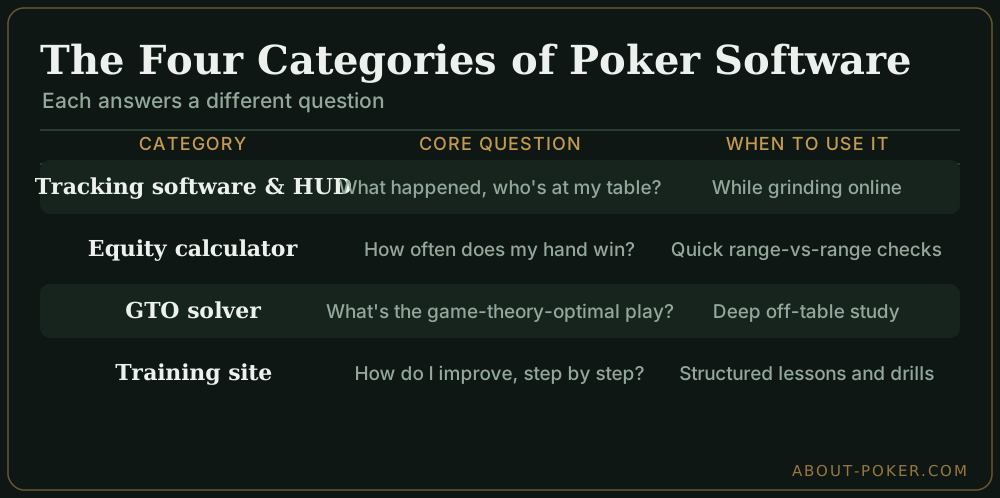
Beyond the free trainers, serious study leans on four kinds of software. Each answers a different question. Tracking software asks what happened — it records your hands and your opponents’ tendencies. Equity calculators ask how often do I win against a hand or range. Solvers ask what is the theoretically best play in a spot. Training sites ask how do I get better through structured lessons and drills.
| Category | Core question | When you reach for it |
|---|---|---|
| Tracking software & HUD | What happened, and who’s at my table? | While grinding online, for live database review |
| Equity calculator | How often does my hand win? | Quick spot checks, range-vs-range math |
| GTO solver | What’s the game-theory-optimal play? | Deep off-table study of tough decisions |
| Training site | How do I improve, step by step? | Structured learning, quizzes, video courses |
Tracking software and HUDs
Tracking software automatically saves every hand you play online into a personal database. From that database it builds statistics on you and your opponents, then displays the most useful numbers on screen in real time through a HUD (heads-up display). The HUD shows figures like how often a player enters pots or raises before the flop, letting you read unfamiliar opponents at a glance.
These two ideas travel together, so we cover them in two pieces: start with what a poker HUD is and the stats it shows, then read how tracking software works end to end to understand the database behind it.
The main tracking software compared
Three programs cover almost the entire market. Two are long-standing “buy it once” veterans; one is a newer subscription tool aimed at high-volume, study-heavy players.
| Software | Best for | Pricing model | What sets it apart |
|---|---|---|---|
| PokerTracker 4 | All-round tracking and hand analysis | One-time license (per game type) | Deep database and reporting, a huge built-in stat library, and solid Hold’em and Omaha support. The safe default. |
| Hold’em Manager 3 | A highly customizable HUD | One-time license | Feature-comparable to PT4; the choice between the two usually comes down to which HUD layout and interface you prefer. |
| Hand2Note | High volume and range-based study | Free tier + subscription | Modern, dynamic pop-ups and range-based stats that adjust to the situation. More powerful, with a steeper learning curve. |
Which to pick. If you’re new to trackers, start with PokerTracker 4 or Hold’em Manager 3 — they do everything most players need, the one-time cost is easier to justify than a subscription, and both have massive support communities. Step up to Hand2Note once you’re multi-tabling seriously or want range-based reads and you’re ready to invest time learning it. Many players trial all three (each offers a free trial) and keep whichever HUD they read fastest.
GTO solvers
A solver is a calculation engine that approximates game-theory-optimal play. You feed it a situation — stacks, board, ranges — and it computes a strategy that can’t be exploited in the long run. Solvers don’t tell you what your specific opponent will do; they tell you the unbeatable baseline, which you then learn to deviate from against weaker players. Read what a GTO solver is and how it works.
Equity calculators
An equity calculator tells you how often a hand or range wins against another, usually by simulating thousands of runouts. They’re the fastest way to settle a “would my call have been profitable?” question, and they pair naturally with pot odds. See how poker equity calculators work.
Training sites
Training sites package improvement into courses, videos, quizzes, and AI-driven practice. They’re the most beginner-friendly entry point because they tell you what to study and in what order. Learn what to look for in poker training sites.
Where to start
If you play online, install tracking software first — your own database is the cheapest, most honest coach you’ll find. If you’re newer, a training site plus the fundamentals in our Texas Hold’em hub will move the needle faster than any solver. Add solvers once you’re comfortable with the underlying math.
Do you need poker software to win?
No — you can beat low and mid stakes with sound fundamentals alone: starting hands, position, and pot odds. Software becomes valuable as you move up: trackers reveal leaks in your own play over large samples, solvers show you equilibrium strategies to study away from the table, and equity calculators check whether a call was mathematically correct.
The order that works: master the fundamentals first, add a tracker to find your leaks, and only study a solver once you understand the concepts it’s optimizing. Tools sharpen a good player; they don’t replace the study that makes one.