Online GTO Solvers: How Browser Tools Work
An online GTO solver runs in your browser, usually serving precomputed solutions rather than solving live. How the two architectures differ, and when to
On this page · 4 sections
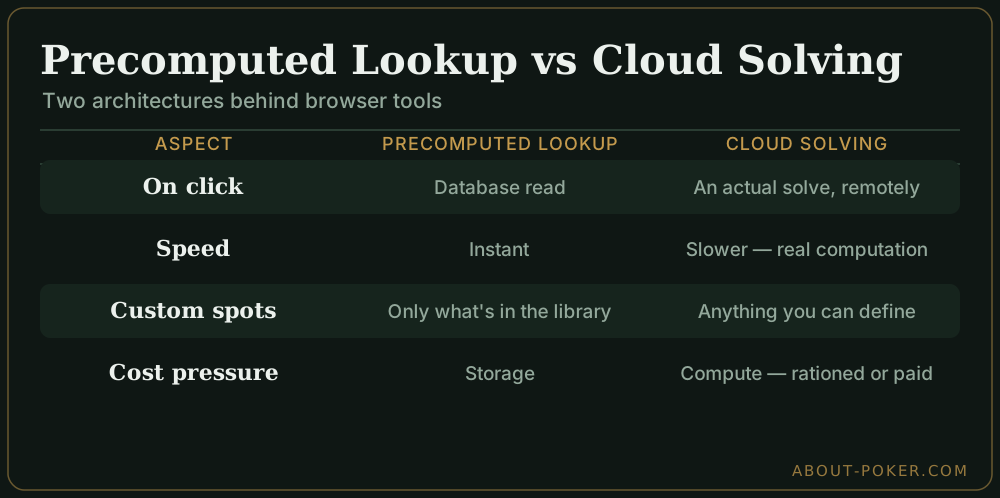
Two architectures sit behind almost every browser-based solver, and they behave nothing alike. Knowing which one you’re using tells you what it can and can’t answer before you type a single input.
| Precomputed lookup | Cloud solving | |
|---|---|---|
| What happens on click | Database read | An actual solve, remotely |
| Speed | Instant | Slower — real computation |
| Custom spots | Only what’s in the library | Anything you can define |
| Cost pressure | Storage | Compute — usually rationed or paid |
An online GTO solver is a browser tool that gives you game-theory-optimal strategy without installing software or running a solve on your own machine. The key thing to grasp is that most of them don’t solve anything live. They serve precomputed solutions from a massive database — you’re looking up an answer calculated in advance, not waiting for a computer to grind it out. That one design choice explains their speed, their limits, and their pricing.
How a lookup tool answers you
When the tool is a precomputed library, a query is just a fast series of database reads:
- You choose a preset spot — position, action (raise, three-bet, and so on), stack depth, and usually a fixed set of bet sizings.
- The tool matches your input to a stored solution — it finds the closest pre-solved node.
- It renders the strategy — the range grid with mixed frequencies, showing how often each hand bets, calls, raises, or folds.
- You drill down — click a board or a runout and it pulls the matching stored node, so you can walk a hand street by street.
Because the heavy computation already happened offline, nothing is calculated when you click. That’s why these tools stay responsive on a laptop or even a phone, where a live desktop solve would take minutes and heavy RAM. The catch is unavoidable: you can only study the sizings, stack depths, and board textures the library already contains.
What “free online” tends to mean
Genuinely free, unlimited online solving is rare, because the storage and compute cost real money. In practice a free tier usually means one of these:
- Preflop only — full preflop ranges, postflop locked.
- A daily cap — a handful of solves or lookups per day.
- A limited spot set — common spots free, unusual ones paid.
- Reduced resolution — fewer sizings than the paid tier.
None of that makes a tool useless. For learning preflop opening and three-betting ranges, a preflop-only free tier is often all you need to start — which is why so many players never pay until their study reaches deep postflop.
The main online solvers, and their free tiers
A handful of browser-based tools dominate this space. Pricing and free limits change often, so treat these as approximate and check the current terms before committing.
| Tool | What the free tier gives you | Paid, roughly |
|---|---|---|
| GTO Wizard | Preflop solutions and a limited set of postflop spots free; daily analysis limits on the free plan | ~$40–130/month depending on tier |
| DTO (Drill To Optimal) | Free trial and a limited set of daily preflop drills; strong for spaced-repetition training rather than a full solution browser | ~$15–40/month |
| GTO Base | Free registration with access to a slice of the precomputed spot library; deeper spots and features gated | ~$30–100/month |
| Odin Poker | Free preflop charts and some postflop lookups; wider trees paid | ~$20–50/month |
For a best free starting point, GTO Wizard’s free preflop access is the most complete for learning opening and three-betting ranges, while DTO is the better pick if you want to be quizzed and build memory rather than just look answers up. Both let you get meaningful study done before any payment.
Getting started with one (GTO Wizard as the example)
- Create a free account at the tool’s site — email or Google sign-in, no card needed for the free tier.
- Open the study or trainer view and pick a preset: your position, the action (RFI, 3-bet, and so on), and stack depth.
- Read the range grid — each hand shows its mixed frequency for raise, call, or fold. Start with a single position (say button RFI at 100bb) rather than jumping around.
- Drill down a board once you’ve got the preflop picture, watching where the free tier stops and the paid library begins.
- Turn it into memory: quiz yourself, then only upgrade if your study genuinely moves into deep postflop.
Picking online or desktop
An online lookup tool is a reference book you can flip through anywhere; a desktop solver is a lab where you can run any experiment you can imagine. Lean online when:
- You’re on a Mac or a low-spec machine and don’t want to wrestle with heavy software.
- You want to study on the go, glancing at ranges between sessions.
- You’re learning the fundamentals of balance and frequencies, where the standard preset spots are exactly right.
Switch to a desktop solver when you need a spot the library doesn’t hold — an odd stack depth, a bespoke sizing tree, or a multiway situation the presets skip. For a refresher on what these tools actually compute, start with what a GTO solver is, then follow a study workflow so the output turns into real edges. Either way, anchor your reference habit to solid preflop GTO ranges and the wider poker tools & software hub.
Frequently asked
What is an online GTO solver?
It's a browser-based tool that shows game-theory-optimal strategy without you installing or running solver software yourself. Most work by serving precomputed solutions from a large database, so you look up a spot rather than solve it live.
Are online GTO solvers free?
Some offer a free tier with limited spots, preflop-only ranges, or a daily solve cap, then charge a subscription for full access. Truly free, unlimited online solving is rare because the computation and storage behind it are expensive.
Is an online solver as accurate as a desktop one?
The precomputed solutions can be just as accurate, since they were solved to low exploitability in advance. The trade-off is flexibility: you're limited to the sizings, stacks, and boards the database already covers, not any custom spot.
Can I use an online solver while playing?
No. Any solver, online or desktop, is a study tool only. Consulting one during a real-money hand is real-time assistance, which is considered cheating and banned on essentially every site.
When should I use a desktop solver instead?
Reach for a desktop solver when you need a spot the online library doesn't hold — an unusual stack depth, a specific sizing tree, or a multiway situation. Those custom solves are exactly what a local engine is built for.