How to Play Online Poker With Friends
How to play online poker with friends: use a private table or home-game club, share the invite code, set the stakes, and deal. Step-by-step setup.
On this page · 9 sections
To play online poker with friends, use a site or app with private tables or home-game clubs: one person creates a private table, sets the stakes and rules, and shares an invite code or link, and everyone else enters that code to join the same table. You then play a normal game against each other instead of random strangers — and you can do it entirely with free play-money chips if you want. Here’s the full setup, step by step.
Step 1: Pick one platform together
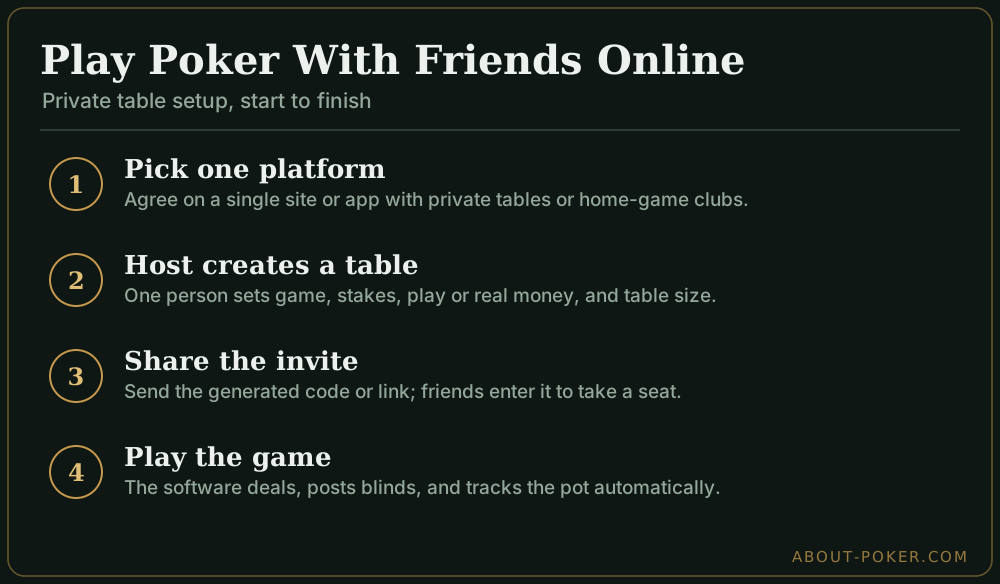
A private table lives on a single platform, so the first job is agreeing on one site or app that everyone will use. Look for one that explicitly offers “private tables,” “home games,” or “poker clubs.” Then have everyone install it and create an account before game night — sorting out sign-ups while three people wait at an empty table is the classic buzzkill.
Where to play: platforms that support private games
You don’t have to guess where to set this up. These are the most common options for a friends-only game, and they split neatly by whether anyone has to download or sign up:
| Platform | Free play money? | Download / account needed? |
|---|---|---|
| Poker Now | Yes (play money) | No download, no account — join from a browser link |
| PokerStars Home Games | Yes (plus real money where legal) | App + PokerStars account for everyone |
| ClubGG | Yes (play money only) | Free app + account for everyone |
| PokerBros | Yes (play money, club-based) | Free app + account for everyone |
| WSOP / 888poker Home Games | Yes (play money; real money region-locked) | App + account for everyone |
The one true exception to “everyone needs the same app” is Poker Now (pokernow.club): the host creates a table in a web browser and shares a link, and friends click it and take a seat with no download and no sign-up — the fastest way to get a casual, play-money game running. The account-based apps trade that convenience for features like saved clubs, tournaments, and (on PokerStars) real-money play.
Step 2: The host creates a private table
One person acts as host and sets up the game. When you create a private table you’ll typically choose:
- Game and format — usually Texas Hold’em, cash game or tournament.
- Play money or real money — pick play money for a pure fun night, with nobody risking anything.
- Stakes and starting stack — the blinds and how many chips everyone begins with.
- Table size — a single table seats around 9–10 players.
The platform then generates an invite code or link unique to your table.
Step 3: Share the invite and seat everyone
Send the code to your group — a chat message works fine. Each friend opens the app, chooses “join private table” (or similar), enters the code, and takes a seat. Within a minute you’re all at the same table, playing each other and only each other.
| What you set | Example choice |
|---|---|
| Format | Cash game or tournament |
| Money type | Play money (free) or real |
| Buy-in / stack | Small, equal for everyone |
| Seats | Up to ~9–10 per table |
| Invite | Code or link from the host |
Step 4: Play the game
From here it’s ordinary online poker — the software deals, posts blinds, and tracks the pot, so nobody argues about who’s the dealer or miscounts chips. If any of your friends are new, point them to our how to play online poker walkthrough beforehand so game night isn’t spent explaining the buttons.
The unique element: recreating a home game online
A private table is the closest thing to a kitchen-table home game, and a little organization makes it feel that way:
- Open a group video or voice call alongside the game. The software handles the cards; the call brings back the trash talk, which is half the fun.
- Agree on pace. Set a sensible action timer so the game doesn’t drag or rush.
- Decide re-buys upfront. In a cash-style game, agree whether people can top up; in a tournament, agree on rebuys or a clean freezeout.
Playing for free vs. for money
For most friend groups, play money is the sweet spot — zero risk, zero legal complications, all the fun. You set up the private table exactly the same way and simply choose play-money chips.
If you do want real stakes, the legality depends on where each player lives, and it varies a lot:
- United States — regulated real-money online poker is legal in only a handful of states (including New Jersey, Pennsylvania, Michigan, and Nevada), and you generally have to be physically inside a state that offers it. PokerStars runs real-money home games only within those state-licensed apps.
- Offshore / grey-market sites — apps like PokerBros and PPPoker are play-money by design, but some clubs arrange real-money settlement off-platform. These operate outside licensed jurisdictions, offer no regulatory protection if a dispute or non-payment happens, and can be outright illegal to use where you live. Treat them with caution.
- Elsewhere — many countries (much of Europe, Canada, and others) permit licensed real-money play, but rules differ by country and sometimes by region. Check your local law before staking anything.
Troubleshooting a private game
A few snags come up on almost every first game night, and all are quick to fix:
- The code doesn’t work. Codes are usually case-sensitive and can expire when the table closes. Have the host regenerate a fresh one and paste it, rather than typing it by hand.
- A friend can’t find the “join” option. They’re often on a slightly different app version or looking in the lobby instead of the home-games section. Point them to the same menu the host used.
- Someone’s on the wrong platform. Everyone must be on the exact same site or app; a table on one platform is invisible from another. Confirm the platform before anyone sits down.
Bigger groups: run a private tournament
Got more than ten people? Most home-game features let the host launch a private tournament. Everyone starts across multiple tables, and as players bust the tables merge until a final table decides it. It’s the easiest way to include a large group in a single event.
Keep it fun and fair
A friendly game runs on good manners as much as good cards. Don’t stall, don’t gloat, and keep the chat light — our online poker etiquette guide applies just as much to a private game as a public one. The goal of a friends’ game is a good time, not to felt your buddies.
Bottom line
Playing online poker with friends is simple: agree on one platform, have the host create a private table, share the invite code, and deal. Choose play money to keep it free and worry-free, add a group call for the banter, and you’ve recreated a home game from anywhere. Back to the online poker hub.
Frequently asked
How do I play online poker with friends?
Use a site or app that offers private tables or home-game clubs. One person creates a private table, sets the stakes and rules, and shares an invite code or link. Your friends enter that code to join the same table, and you play a normal game against each other instead of strangers. Many apps make this a one-tap setup.
Can I play online poker with friends for free?
Yes. Most private-table features let you play with play-money chips at no cost, which is the easiest and safest way to run a friendly game. You still create a private table and share the code — you just choose play money instead of real stakes, so nobody risks anything.
Do all my friends need the same app?
For app-based platforms like PokerStars Home Games, ClubGG, or PokerBros, yes — everyone needs an account on the same app. The exception is a browser-based option like Poker Now, where the host shares a link and friends join with no download and no sign-up at all. Pick one platform together first, then share the invite code or link from the host's device.
How many friends can join a private poker table?
A single table typically seats up to 9 or 10 players, the same as a standard poker table. If you have a bigger group, many apps let you run a private tournament so everyone plays across multiple tables and merges as players are eliminated.