How to Download Online Poker Apps Safely
How to download and install online poker apps safely: official sources, desktop clients vs mobile apps, verification steps, and how to avoid fake software.
On this page · 6 sections
A poker “download” can mean one of three things: a desktop client (a program you install on Windows or macOS), a mobile app (from the App Store or Google Play), or browser / instant play that runs with no install at all. Which you need depends on how you play — but wherever you get it, one rule holds: install only from the room’s official website or an official app store, and never from an email link, an ad, or a “free download” site.
Do you actually need to download anything?
No, not to try a room. Browser play needs zero install and is the fastest way to see a lobby. The desktop client is worth installing once you want serious volume — it’s the most stable option and the best base for multi-tabling and add-on tools and software. The mobile app, covered in our mobile poker guide, is the convenient middle ground for quick sessions.
Where the leading real-money apps come from
Real-money rooms are region-licensed, so the right download for you depends on where you play. Names below are the major established brands, listed editorially — always start from the operator’s own official site, which then routes you to the correct client, store listing, or signed installer for your country.
| Room | Desktop client | Mobile | Where to get it | Notes |
|---|---|---|---|---|
| PokerStars | Windows & macOS | iOS & Android | Official site; regional store listings | Largest global traffic; separate licensed apps for regulated US/EU markets |
| GGPoker | Windows & macOS | iOS & Android | Official site; regional store listings | Big global network; Android often via signed APK from the site where store listing is absent |
| WSOP / WSOP.com | Windows & macOS | iOS & Android | Official site; US app stores | Regulated real-money play in licensed US states only (e.g. NJ, NV, PA, MI) |
| partypoker | Windows & macOS | iOS & Android | Official site; regional store listings | Long-established brand; availability varies by license |
| 888poker | Windows & macOS | iOS & Android | Official site; regional store listings | Also offers browser/instant play |
Because Apple and Google restrict real-money gambling apps to countries where the operator is licensed, a room’s app may simply not appear in your country’s store even though the room is available there. That is normal — use the operator’s official download page, which serves the client legal for your region.
The safe install sequence
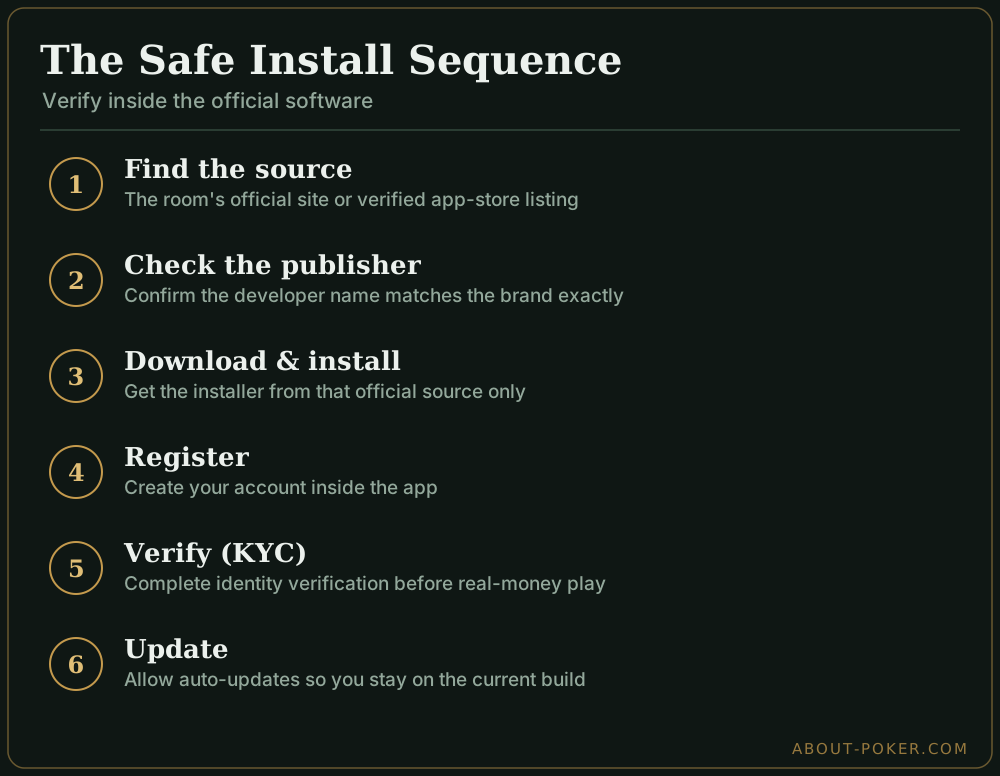
The order here matters. You verify your identity inside the official software — never on a random page a download link sends you to.
| Step | What to do |
|---|---|
| 1. Find the source | The room’s official site, or its verified app-store listing |
| 2. Check the publisher | Confirm the developer/publisher name matches the brand exactly |
| 3. Download | Get the installer or app from that official source only |
| 4. Install | Run the installer; on desktop, accept the standard prompts |
| 5. Register | Create your account inside the app |
| 6. Verify (KYC) | Complete identity verification before real-money play |
| 7. Update | Allow auto-updates so you’re always on the current build |
Spotting fake or tampered software
This is where the real risk lives — counterfeit installers can bundle malware or steal credentials. A legitimate room distributes its client only from its own domain or an official store, so if you found the download anywhere else, treat it as unsafe. A few concrete checks:
- Match the URL. Type the room’s name into your browser and confirm the official domain before downloading anything.
- Read the store details. Verify the publisher name and confirm it’s the genuine brand, not a look-alike with a slightly different name.
- Don’t “work around” region blocks. A missing real-money app in your store is normal region restriction — use the room’s official site, not a mirror or aggregator.
- Watch mobile permissions. If a “poker” app asks for contacts, messages, or unrelated data, that’s a red flag.
- Keep it patched. Outdated clients are a security risk; leave automatic updates on, and if a client acts strangely after an update, reinstall from the official source rather than hunting for a “fixed” version elsewhere.
Whether the games themselves run fairly once installed is a separate question — see is online poker safe.
Installing on each platform
The safe-source rule is the same everywhere, but the mechanics differ:
- iOS (iPhone/iPad). Only from the App Store — Apple allows no sideloading. If the room’s app is missing from your country’s store, the room isn’t licensed there for that store; use its official site to check for a web/instant-play option. Typical download: roughly 100–200 MB.
- Android. Install from Google Play where the listing exists. Where it doesn’t, established rooms distribute a signed APK from their own site — download it only from the official domain, and you’ll need to allow “install from this source” once in Settings. Never take an APK from an aggregator or forum mirror. Typical download: roughly 50–150 MB.
- Windows. Download the
.exeinstaller from the official site, run it, and accept the standard prompts (a User Account Control dialog is expected — confirm the publisher name matches the brand). Most clients support Windows 10 and 11. - macOS. Download the
.dmg, open it, and drag the app to Applications. Gatekeeper will verify the developer signature on first launch; if macOS blocks an unsigned copy, that’s a signal you got it from the wrong place. Recent clients generally target macOS 11 (Big Sur) and later.
A couple of practical checks before you install
Poker clients are lightweight — a full desktop install is usually around 200–500 MB, mobile apps smaller — but confirm your operating system is current enough (Windows 10/11 and macOS 11 or later are safe bets; very old versions may be unsupported) and that you have a stable connection, since a disconnect mid-hand can cost you a pot.
Once the app is on your device and your account is verified, the money side — deposits, withdrawals, what real-money play involves — is covered in online poker for real money. Start at low stakes while you get used to the interface.
Frequently asked
How do I download an online poker app for real money?
Go directly to the poker room's official website or its official App Store / Google Play listing, download from there, install, then create and verify your account inside the software. Never install poker software from a link in an email, ad, or third-party download site.
Do I need to download software to play online poker?
Not always. Many rooms offer a browser or 'instant play' version with no download, and mobile apps handle real-money play fine. A downloaded desktop client usually gives the most stable experience and features like multi-tabling, but it's optional at plenty of sites.
Are online poker apps safe to download?
The official apps from established rooms are safe, provided you get them from the room's own site or an official app store. The real risk is fake or tampered installers from unofficial sources. Verify the source, check the publisher name, and keep the software updated.
Why can't I find the poker app in my app store?
Real-money poker apps are region-restricted in the official stores, so a listing may not appear in your country's store. In some regions rooms distribute a signed installer directly from their website instead. Use the room's official download page if the store listing is missing.
Desktop client or mobile app — which should I install?
Both play the same real-money games. Desktop wins for screen space, multi-tabling, and add-on tools, so it suits long sessions. Mobile wins for quick sessions on the go. Many players install both and share one account, since the balance is tied to the account, not the device.