Playing Poker on Mobile
Playing poker on mobile the right way: how the small screen changes your game, misclick-proof habits, table counts that work on a phone, and a pre-session setup.
On this page · 6 sections
Your phone is the most convenient poker client you own and, if you are careless, the most expensive one. The same device that lets you fire up a session anywhere also serves you a cramped screen, a touch interface that punishes a shaky thumb, and a dozen notifications competing for the attention you should be spending on the table. Playing well on mobile is less about strategy secrets and more about removing the specific ways a phone quietly costs you money.
What the small screen changes
The core game does not change on mobile — the same ranges, the same math, the same reads. What changes is your access to information. On a desktop you see the full pot, every stack, the action history, and often a HUD, all at once. On a phone, some of that is shrunk, hidden behind a tap, or gone entirely. That makes it easier to misread a stack size, forget the number of preflop callers, or miss that the board just paired.
The fix is to slow down by one beat and confirm the facts before every meaningful decision: pot size, effective stack, who has acted, and what the board actually is. On desktop those are absorbed at a glance; on mobile you read them deliberately. For a broader look at the mobile experience across sites, see our guide to online poker on mobile.
The misclick tax
The single biggest mobile leak is not strategic — it is mechanical. A drag-slider bet that slips can turn an intended half-pot bet into an all-in shove. A tap on the wrong side of the screen folds a hand you meant to raise. Over thousands of hands, those input errors add up to real money.
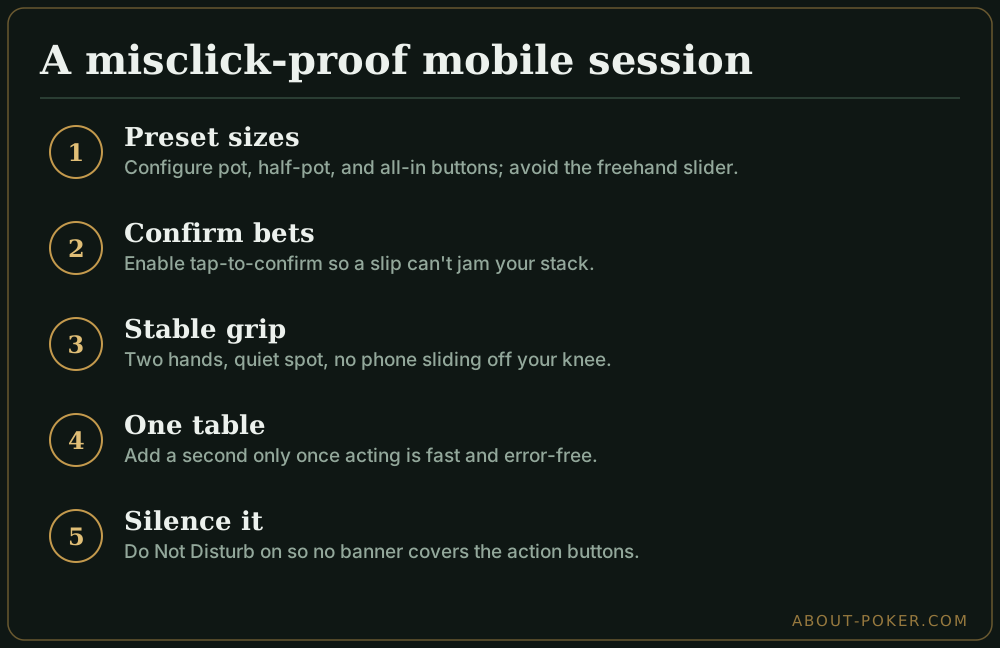
Kill them at the source. Use preset sizing buttons (pot, half-pot, min, all-in) instead of the freehand slider whenever the size you want is available. Turn on any “confirm bet” or “tap twice to act” option the app offers, even though it feels slow at first — the friction is cheaper than one accidental stack-off. And hold the phone in a stable two-handed grip so your action thumb is not also keeping the device from sliding off your knee.
A worked example: the slider disaster
You are in a $0.10/$0.25 game, 100 big blinds deep, holding A-K on a K-7-2 rainbow flop. You want to bet two-thirds of the $6 pot — about $4. You grab the slider and, because the screen is small and your thumb is imprecise, you overshoot to $18, effectively jamming your whole stack. Your opponent folds the middling hands you wanted to keep in and only calls with better, and on the times they do call light you have simply risked $25 to win $6.
Now replay it with a preset button. You tap “2/3 pot,” it fills $4 exactly, you confirm, done. Same hand, same read, but the mechanical risk is gone. Multiply that one avoided disaster across a year of sessions and the confirmation habit pays for itself many times over.
Table count and layout on a phone
A phone is not a four-monitor grinding station, and pretending otherwise is a leak. Most mobile clients either show one table at a time and cycle to whichever needs action, or stack a few with heavy overlap. Either way you have less simultaneous information than on desktop.
Start with a single table until acting is fast and error-free, then add a second and watch your misclick rate. The principles are the same as our multi-tabling online poker guide, just with a lower ceiling: two well-played tables on a phone beat four badly played ones every time. If the app cycles tables for you, resist the urge to rush the auto-advanced decision — the timer feels tighter on mobile, but a fast wrong choice is still wrong.
Conditions are part of your strategy
On desktop you choose to sit down; on mobile the temptation is to play anywhere — a noisy train, a five-minute break, a couch with the TV on. Those are not real sessions, they are donations. A distracted, one-eye-on-the-table stretch of hands leaks money quietly, and mobile makes distracted play frictionless.
Treat a mobile session like any other: pick a stable connection, a quiet-enough spot, and a block of time you can actually give to the game. If you cannot commit real attention, do not open the app. Half-focus poker on a phone combines the worst of both worlds — reduced information and reduced concentration.
A pre-session mobile checklist
- Battery and connection. Charge above 50% or plug in; use stable Wi-Fi, not a flaky cellular signal that could disconnect you mid-hand.
- Do Not Disturb on. Silence calls and notifications so nothing hijacks the screen during a decision.
- Preset sizes and confirmations enabled in the app settings before the first hand.
- Comfortable, stable grip and a spot where you can sit still for the whole session.
- Realistic table count — one until you are sharp, and never more than the screen can show clearly.
Do those five things and the phone stops being a handicap. Mobile poker played with desktop-level discipline is simply poker you can take with you, and the convenience becomes an edge in volume rather than a tax on your bankroll.
Frequently asked
Is playing poker on mobile a disadvantage?
Slightly, if you let it be. The small screen hides information and invites misclicks, and most apps limit how many tables you can run. But for one or two tables the strategic difference is minimal — the disadvantage comes from playing distracted in bad conditions, not from the phone itself.
How many tables can you play on a phone?
Realistically one to four depending on the app and screen size. Many mobile clients stack or cycle tables rather than tiling them, so you act on one at a time. Start with a single table and only add more once you can act quickly without misclicking.
How do I avoid misclicks on mobile poker?
Turn on any bet-confirmation or tap-to-confirm setting, use preset bet-size buttons instead of the drag slider, and hold the phone in a stable two-handed grip. Most mobile leaks are input errors, not strategy errors, so removing the fat-finger risk fixes the biggest problem.